An investment analytics platform has to make a lot of numbers feel simple without hiding any of them. That was the job when I redesigned CapitalStake’s analytics platform: modernise the UX and UI, raise engagement through interactive data visualisation, and keep it usable for everyone from first-time retail investors to advanced traders. These are the seven lessons I took from it.
The product
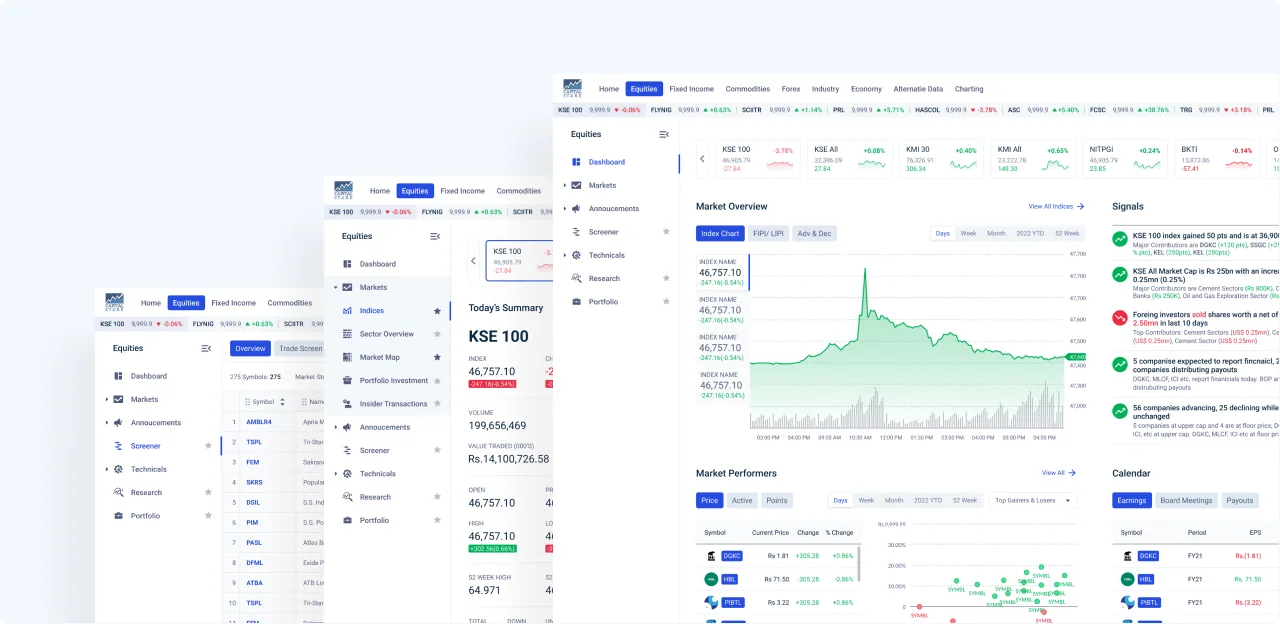
CapitalStake provides unbiased, independent analytics on companies listed on the Pakistan Stock Exchange (PSX). It serves clients of more than 15 leading brokerage houses, its analytics are available to users of the PSX KITS terminal, and it powers the PSX data portal. The goal is to give investors all the data, analytics and insight they need on a single platform, so they can make timely and accurate decisions.
1. Design for more than one kind of investor
The platform’s main users are retail investors, high-net-worth investors and advanced traders. They want the same data at very different depths. Every idea, however out of the box, had to be checked against those three groups’ needs, technical level and pain points before it reached the CapitalStake team.
In practice this means the default view has to make sense to the least technical user, while the depth the advanced trader needs is never more than a click away.
2. Study the global leaders, then design for your market
The platform was built for investors in Pakistan, with plans for an international audience. So the competitor review covered both: local products such as Investors Lounge and MLink News, and global ones such as Bloomberg, Google Finance, Koyfin, Refinitiv, Morningstar and Yahoo Finance.
The global leaders show what investors already expect from a serious tool. The local products show what this audience is used to today. The design had to meet both, so that it felt familiar now and would still hold up next to international products later.
3. Break a big platform into modules
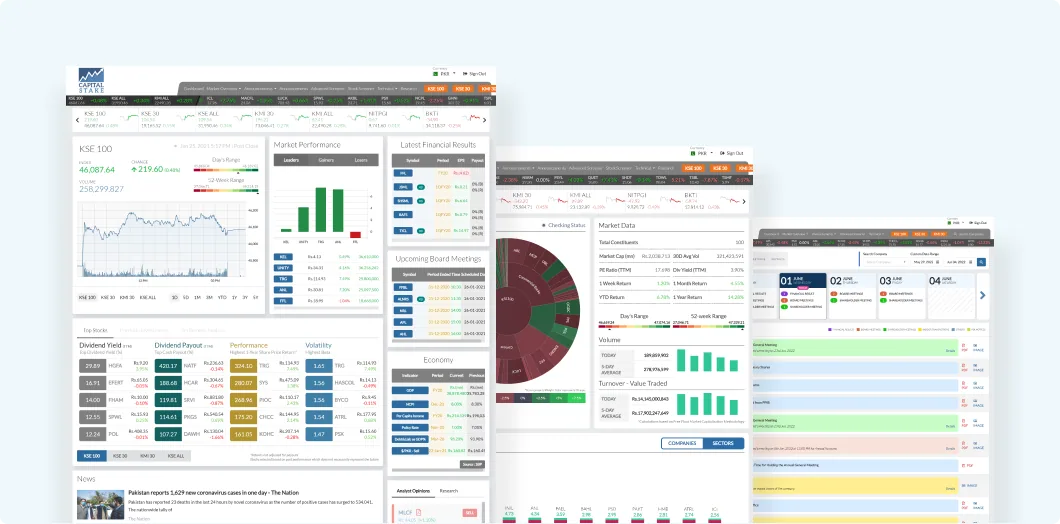
A platform this size can’t be redesigned in one pass, so the work was split into small, module-based chunks. Every module followed the same loop:
- An initial meeting to understand what was needed and agree on the end goals.
- Competitor analysis for that specific module, then brainstorming.
- More than one high-fidelity variant, to test whether each idea held up.
- A review with the CapitalStake team on the usability and sustainability of each variant.
- The final design for the chosen variant, then the remaining responsive pages and components.
- Support for the developers during build.
The loop kept decisions small and reviewable. A wrong turn cost one module, not the whole platform.
4. Always design more than one variant
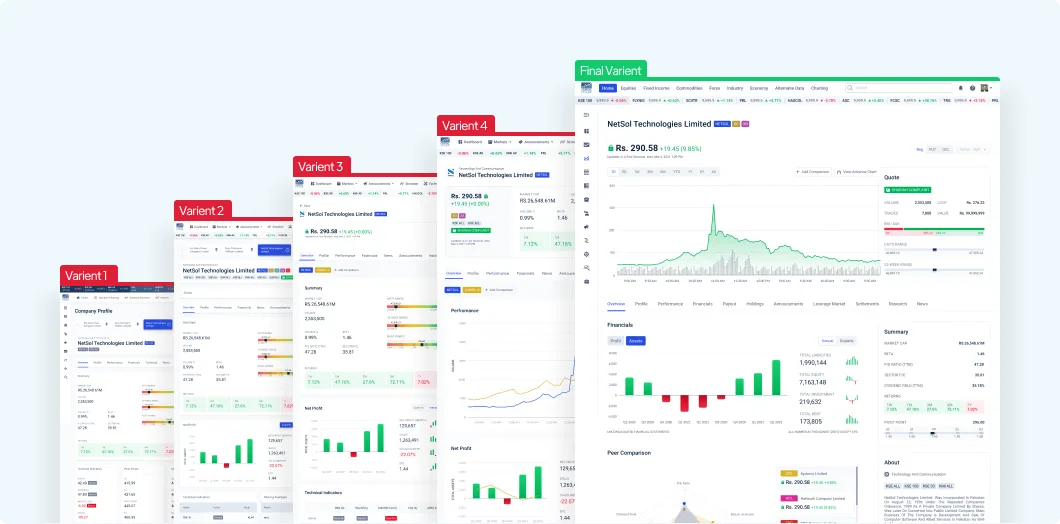
For each key screen, several variants were explored and assessed against a range of usability factors before one was chosen. With financial data, the first layout that looks good is rarely the one that reads fastest. Putting two or three options side by side makes that visible, and it moves the conversation with stakeholders from “I like it” to “this one answers the question quicker”.
5. Navigation is a data-density problem
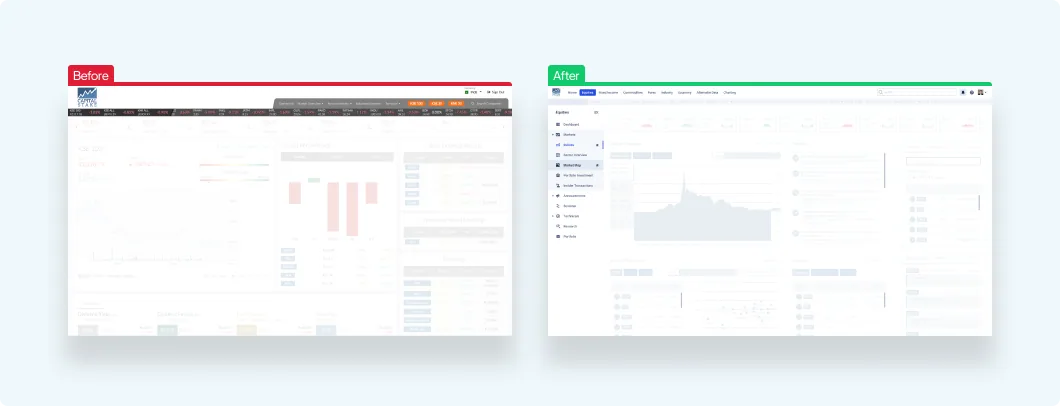
In an analytics product, every pixel spent on navigation is a pixel not spent on data. The new navigation did three things:
- A clearer structure that matched the platform’s new scope, so users reached the content they needed quickly.
- Universal search, so an index, a stock or a page was one search away.
- A collapsible side menu, so users could hand that space back to their charts and tables.
6. Build the components before the screens
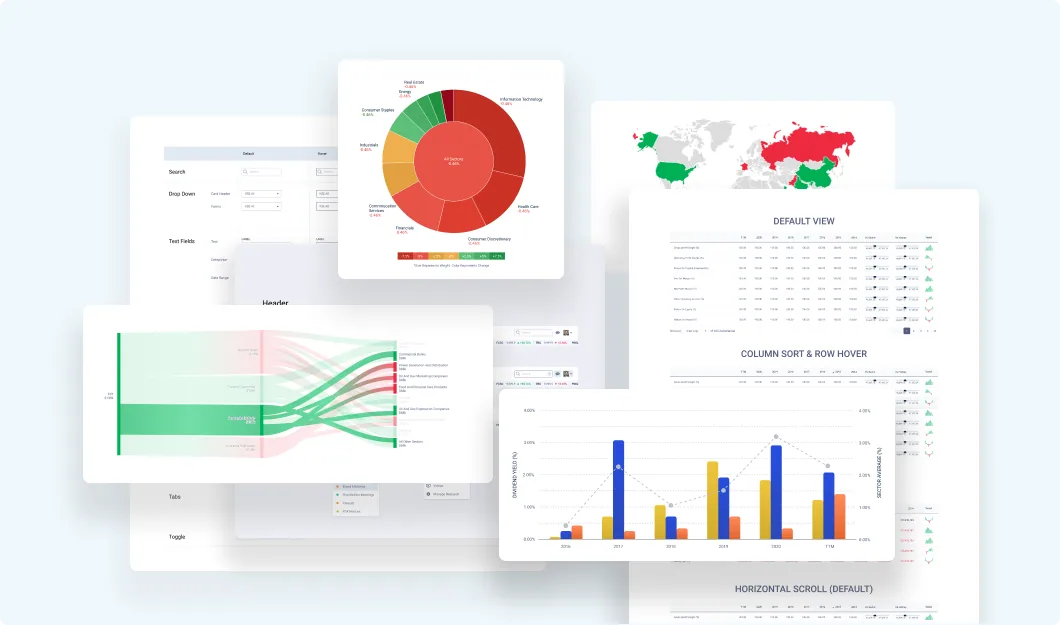
To keep the design scalable and quick to iterate, design, code and ship, the platform was designed as a set of modular components: charts, maps, data tables and the cards that hold them. Once the components exist, a new screen is mostly a matter of arranging them. That is what lets a small team keep up with a platform that keeps growing.
7. Design for the whole trading day
Analytics tools stay open all day, and looking at the same bright screens for hours causes fatigue. So the platform got three dark modes, named after the moon’s phases, and users could customise parts of the experience: some visual components, their own custom screens, and theme colours beyond the dark modes. I go deeper into that in Dark mode for data-heavy dashboards.
What the client said
Maha Jaffer, Director Research at CapitalStake, described working together like this: “He always does his research to come up with creative ideas to present the numbers in an easy-to-understand way for the users.”
Key takeaways
- Check every idea against each type of user, not an average user.
- Learn from global leaders, but design for the market you are in today.
- Split a large platform into modules with the same review loop.
- Compare variants side by side before choosing.
- Treat navigation and chrome as space taken from the data.
- Design components first, then compose screens from them.
- Plan for all-day use from the start.
See the full project in the CapitalStake Analytics case study.
All posts